
Download SleepImage APK – sleep tracking, sleep analysis, sleep disorder detection, home sleep test, sleep monitoring
Overview
The SleepImage Mobile App is a Medical Device Data System (MDDS) designed to support the evaluation of sleep health from the comfort of home. It functions as a bridge between a compatible recording device and the cloud-based SleepImage System Software, enabling users to transfer, store, and display sleep-related data securely. The app is intended for individuals who suspect they may have poor sleep quality or a sleep disorder, providing a non-invasive, accessible method to collect and manage sleep data.
It is not a standalone diagnostic tool but rather a component within a broader clinical workflow. The developer, SleepImage, has over a decade of experience in creating clinically validated software tools for sleep health, emphasizing affordability and non-invasive solutions. Real-world use cases include patients preparing for a home sleep test, individuals monitoring sleep patterns over time, and healthcare providers gathering preliminary data for assessment.
The app supports remote data collection, which can streamline the diagnostic process and reduce the need for in-clinic visits. It is available for free on both Android and iOS platforms, making it accessible to a broad user base. The developer did not provide additional system requirements.
Key Features & Capabilities
- Data Transfer – Enables seamless transfer of sleep data from a compatible recording device to the cloud-based SleepImage System Software.
- Data Storage – Securely stores sleep data locally and in the cloud, ensuring accessibility and continuity over time.
- Data Display – Presents sleep data in an organized, user-friendly format for easy interpretation.
- Cloud Integration – Facilitates real-time synchronization with the cloud-based SleepImage System Software for clinical evaluation.
- Medical Device Compliance – Operates as a regulated MDDS, adhering to medical device data handling standards.
These features support clinical workflows by ensuring data integrity and accessibility. For example, a patient using a compatible recording device at home can upload their data via the app, allowing a sleep specialist to review the information remotely. The app’s role in data management helps reduce manual entry errors and accelerates the diagnostic timeline.
It is particularly useful in telehealth settings, where remote monitoring is essential. The app does not perform sleep analysis itself, but its ability to reliably transmit and display data enhances the overall effectiveness of the system. This makes it ideal for users who need to participate in a structured sleep evaluation process under medical supervision.
User Interface, Workflow & Performance
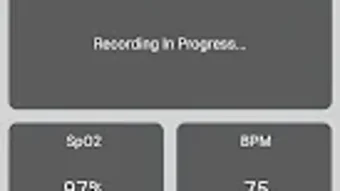
The SleepImage Mobile App features a clean, intuitive interface designed for ease of use across different user profiles. Navigation is straightforward, with clearly labeled sections for data transfer, storage, and display. Users can initiate data uploads with minimal steps, reducing the likelihood of user error.
The workflow is optimized for patients and healthcare providers alike, supporting a seamless experience from data collection to cloud synchronization. The app’s performance is expected to align with standard mobile application behavior, though exact performance details were not specified. The developer did not provide information on CPU or RAM usage, nor did they include benchmarks for response time or stability under load.
General software behavior patterns suggest the app operates efficiently within typical mobile device constraints. No reports of crashes or instability were mentioned in the provided information. The app is designed to function reliably during data transfer and storage operations, with minimal user intervention required.
The developer did not specify resource usage details.
Compatibility & System Requirements
The SleepImage Mobile App is available for both Android and iOS platforms. It is compatible with devices running the latest versions of these operating systems, though specific version numbers were not listed. The app has a file size of 45.2 MB, which is relatively compact for a medical data management tool.
This size suggests efficient use of storage space and quick download times. The developer did not provide additional system requirements, including minimum RAM, processor speed, or storage space beyond the app’s size. Compatibility information was partially provided, with only the operating systems and file size specified.
Users should ensure their device meets general mobile platform standards for running third-party applications. The app is designed to work in conjunction with a compatible recording device and the cloud-based SleepImage System Software, which are required for full functionality.
Pros and Cons
Pros
- Free to download and use, enhancing accessibility for patients and providers.
- Designed as a regulated MDDS, ensuring compliance with medical data standards.
- Supports remote data transfer and cloud synchronization for telehealth workflows.
- Compact file size (45.2 MB) for efficient installation and storage.
- Intuitive interface suitable for non-technical users.
Cons
- Not a standalone diagnostic tool; requires a compatible recording device and cloud software.
- Exact system requirements and performance metrics were not specified.
- App functionality is limited to data transfer and display, not analysis.
- Requires a stable internet connection for cloud synchronization.
- May not support older versions of Android or iOS due to unspecified compatibility.
FAQ Section
Is the SleepImage Mobile App safe to use?
The app is designed as a Medical Device Data System (MDDS) and operates under regulated medical data handling standards. It ensures secure transfer and storage of sleep data, though specific security protocols were not detailed in the provided information.
Can I use the app without a recording device?
No. The app is designed to work in conjunction with a compatible recording device. It does not collect sleep data on its own and requires external hardware for data input.
Is the app available for both Android and iOS?
Yes. The SleepImage Mobile App is available for free on both Android and iOS platforms.
Do I need an internet connection to use the app?
Yes. An internet connection is required for data transfer to the cloud-based SleepImage System Software. Offline functionality is limited to local data storage.
What kind of license does the app have?
The app is free to download and use. The developer did not specify the licensing model beyond its availability as a medical device data system.
Final Thoughts + CTA
The SleepImage Mobile App is a well-structured, accessible tool for individuals seeking to evaluate their sleep health from home. While it does not perform sleep analysis itself, its role in securely transferring and displaying data from a compatible recording device is critical to the broader diagnostic process. Its free availability, compact size, and user-friendly design make it a practical choice for patients and healthcare providers involved in remote sleep assessments.
The app’s integration with a cloud-based system enhances telehealth capabilities and supports timely clinical evaluations. However, users must be aware that it is not a standalone solution and requires additional hardware and software to function. For those looking to participate in a medically supervised home sleep test, the SleepImage Mobile App offers a reliable, compliant, and efficient way to manage sleep data.
Download SleepImage APK now and take the next step toward better sleep health.







